- 檔案名稱 ShadowExplorer 0.9.rar
- 相關網址 http://portable.easylife.tw/2979
- 來源網址 http://9ez.me
- 分享網址
-
- 檔案標籤 ► ShadowExplorer
- 檔案下載
-
- 相關網址 http://portable.easylife.tw/2979
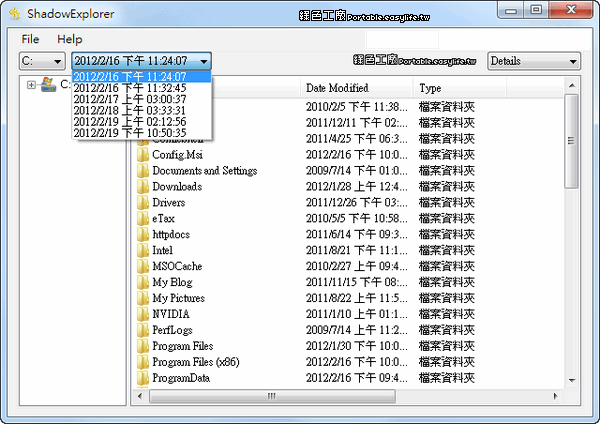
系統還原是Windows內建的功能,在我自己電腦中是開啟的狀態,以前維護數百台PC時,我一定也會將系統內建的還原功能開啟,當系統遇到不明問題時,透過系統還原是非常方便的一種方式,雖然說可能會佔據硬碟一些些的空間,但是這的確是值得的!除了當作快速恢復系統的一種方式外,也可以當作檔案備份,ShadowExplorer 這工具可以瀏覽系統還原中的檔案,也能分別查看不同次的備份內容,還原檔案當然也不是問題囉!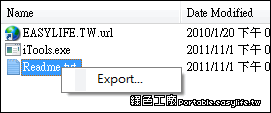
如何開啟系統還原呢?在這軟體工具選單內開啟「Configure System Protection...」,就能開啟系統保護的設定,可以查看每顆硬碟的保護狀態,我是建議大家開啟系統槽的保護囉!有了第一次的系統保護之後,就能在ShadowExplorer中查看到檔案,到底系統保護備份了哪些東西也可以自己再次的確認,還原時選取檔案右鍵Export輸出即可。
http://www.shadowexplorer.com/
免安裝版:
ShadowExplorer 0.9.rar(MediaFire下載)
ShadowExplorer 0.9.rar(ZippyShare下載)
ShadowExplorer 0.9.rar(本站下載)
檔案大小:98 KB
- ■ [today_top.title;block=li;ondata=m_event_a1] [today_top.url;htmlconv=no]
- ■ [yesterday_top.title;block=li;ondata=m_event_a1] [yesterday_top.url;htmlconv=no]
- ■ [week_top.title;block=li;ondata=m_event_a1] [week_top.url;htmlconv=no]
- ■ [random.title;block=li;ondata=m_event_a1] [random.url;htmlconv=no]

