- 檔案名稱 Grungetastic 2.70.3.dmg
- 相關網址 http://portable.easylife.tw/9009
- 來源網址 http://9ez.me
- 分享網址
-
- 檔案標籤 ► Grungetastic
- 檔案下載
-
- 相關網址 http://portable.easylife.tw/9009
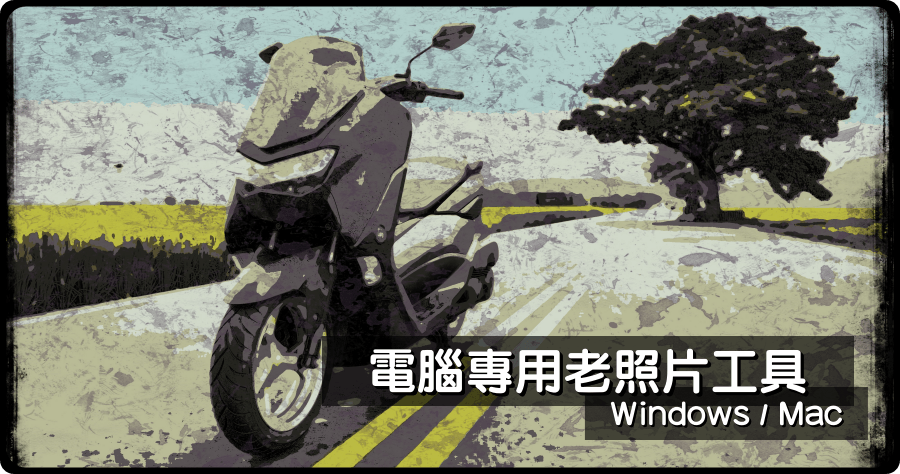
照片要如何有老舊、老照片、歷史照片、殘破照片風格呢?在手機上應該有數不清 APP 吧!那電腦上的選擇呢?要跟大家推薦 Grungetastic 老照片風格軟體,其實我一開始以為他很普通,不過試了才知道這款工具還頗猛的,很多刷舊的風格是意想不到的,而且 Windows 與 Mac 雙系統版本都有具備,不管你是哪一個系統的用戶,可以將這款老照片工具藏起來,偶爾套用在照片上或許會有不同的驚喜唷!限時免費不要錯過~
限時免費:https://jixipix.com/grungetastic/details.html

△ 進入活動頁面之後點選 ADD TO CART 加入購物車,活動期間內應該是免費的!
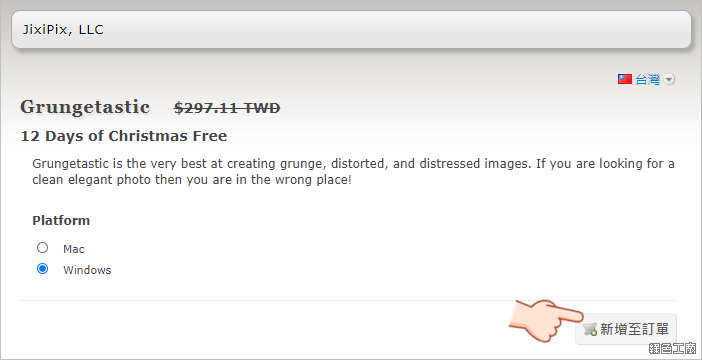
△ 選擇你要的系統版本之後,新增至訂單。
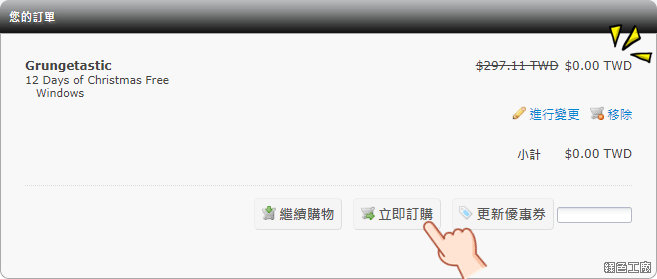
△ 確認價格為 0 元之後立即訂購,之後完成個人資料填寫等等,最後 0 元結帳。
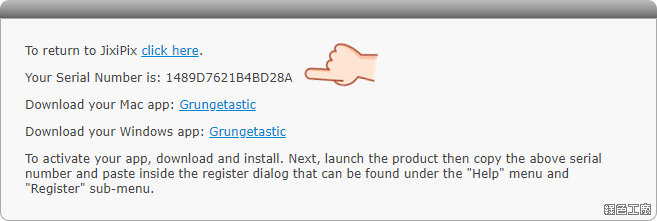
△ 最後就能取得這次活動的軟體序號,以及 Mac 與 Windows 系統的安裝檔案,也可以直接到文末下載。
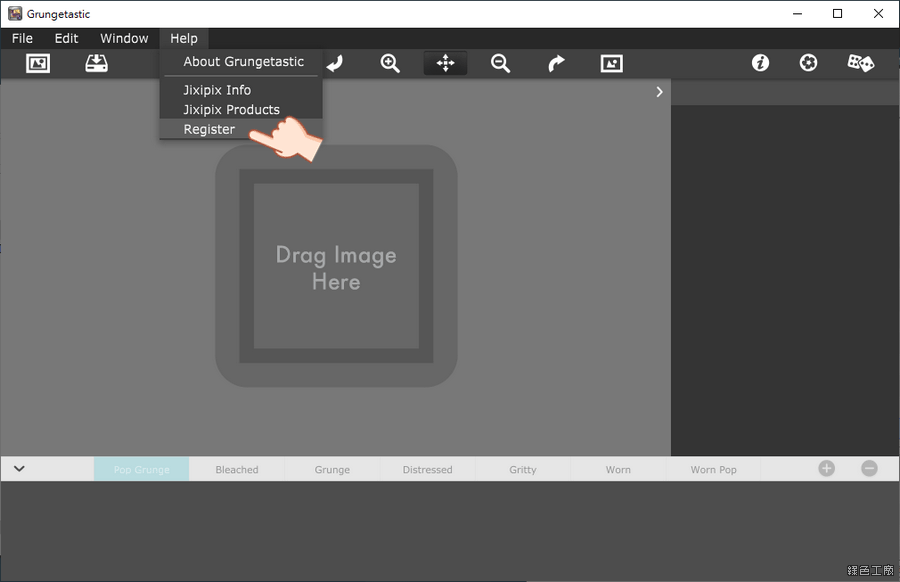
△ 開啟軟體後點選 Help > Register。
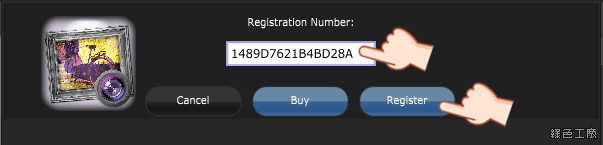
△ 貼上剛剛所取得的活動序號點選 Register 註冊。
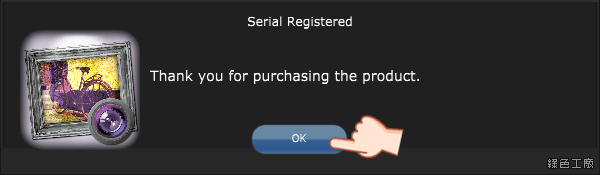
△ 註冊成功就可以看到以上的畫面。
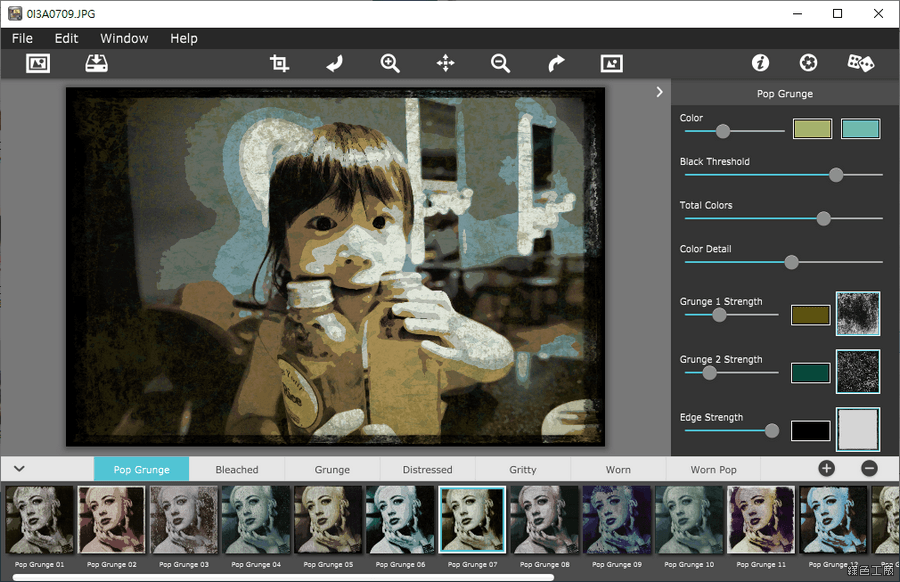
△ 使用方式很簡單,其實就像是手機軟體那樣,載入一張照片之後,下方就有很多的風格可以套用,效果其實很多元也很豐富,有些的感覺不只是老照片,也具備了創意風格,而且每種風格都可以再調顏色與照片的筆刷等等,絕對可以打造出獨一無二的老照片唷!
https://jixipix.com/grungetastic/details.html
免安裝版:
Grungetastic 2.50.7z(GOOGLE下載)
Grungetastic 2.50.7z(1DRV下載)
Grungetastic 2.50.7z(MEDIAFIRE下載)
檔案大小:86.35 MB
Mac 版本:
Grungetastic 2.70.3.dmg(GOOGLE下載)
Grungetastic 2.70.3.dmg(1DRV下載)
Grungetastic 2.70.3.dmg(MEDIAFIRE下載)
檔案大小:90.88 MB
- ■ [today_top.title;block=li;ondata=m_event_a1] [today_top.url;htmlconv=no]
- ■ [yesterday_top.title;block=li;ondata=m_event_a1] [yesterday_top.url;htmlconv=no]
- ■ [week_top.title;block=li;ondata=m_event_a1] [week_top.url;htmlconv=no]
- ■ [random.title;block=li;ondata=m_event_a1] [random.url;htmlconv=no]

